
Entering Interest Paid by Insurance
To enter interest paid by insurance, follow this article steps!
- Click (left menu)
- Click on the client name
- Click Billing (top menu)

- Click on the DOS where they paid interest
- Click the Wrench icon on the (bottom right)
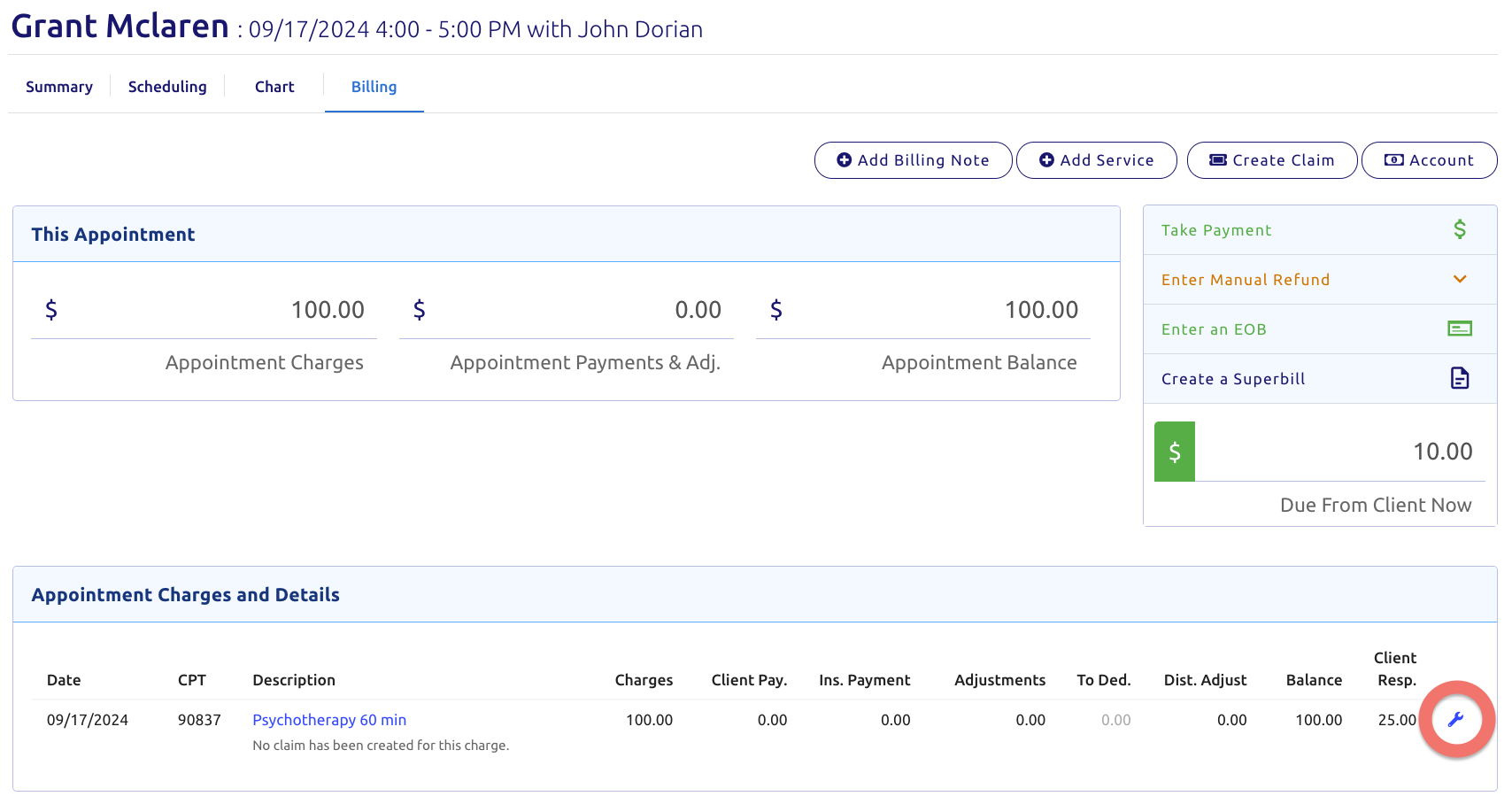
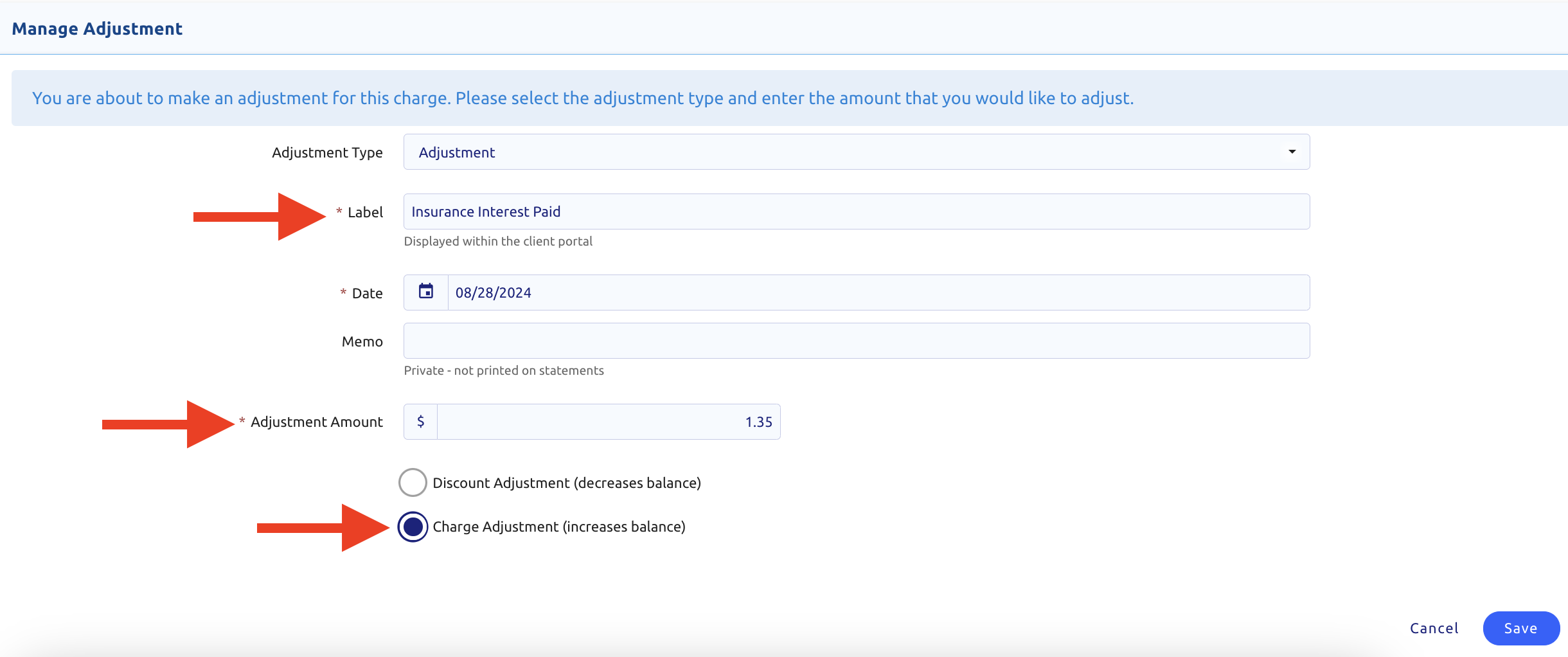
- Select Adjustment
- Change the Label to Insurance Interest Paid
- Change the Date if necessary
- Enter the amount of the interest paid
- Select Charge Adjustment (increase balance)
- Save (All key points shown below)
- Then click the green Enter an EOB button on the top right
- Adjust your From and To date so the date of service shows
- Uncheck the Only Show Open Claims button
- Locate the DOS
- Enter ONLY the Interest Amount in the Ins. Pay Column
- DO NOT ENTER an Adjustment or the other amount insurance paid towards this DOS
- Enter the Interest Amount on the top box labeled Payment Amount
- Select the Insurance Company
- Enter the Check/ERA #
- Then click Save and Post